
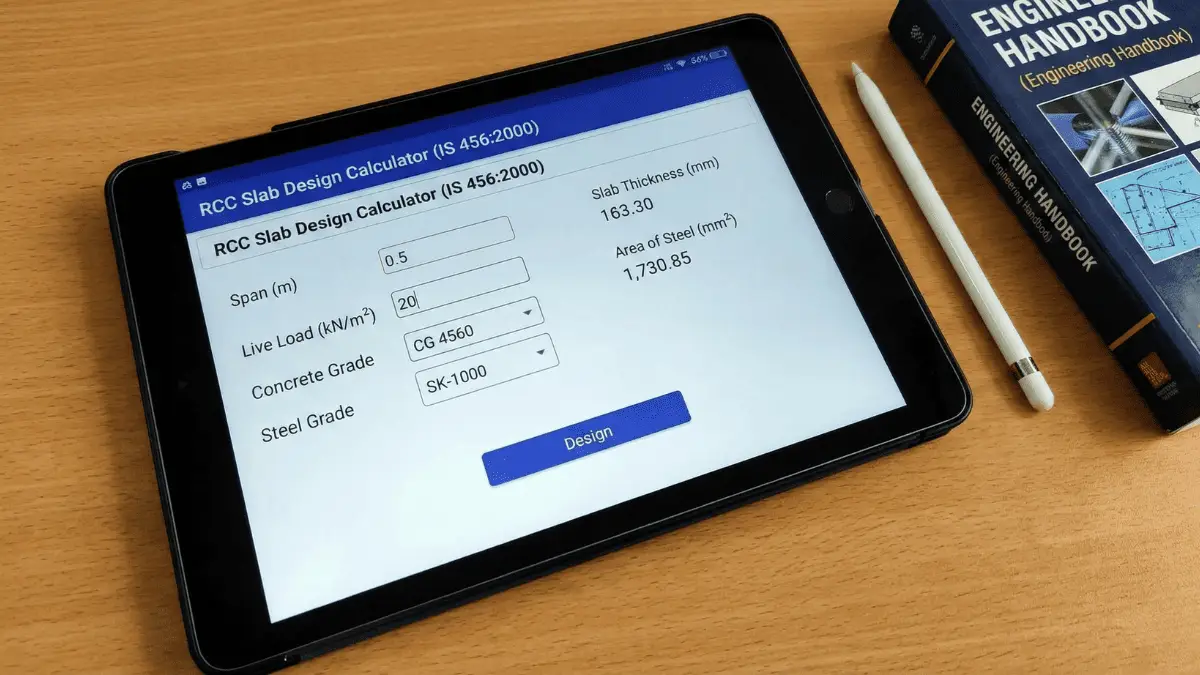
In this page you will find the calculator to find the RCC Slab Design as per IS 456:2000 Code. It will give you the idea of proper evaluation and steps calculations as well as the proper output of it. It also will generate a slab drawing, which after the calcuation ans the slab drawing of it will be as per the calculation. Designing a Reinforced Cement Concrete (RCC) slab is a fundamental skill for every civil engineer. Whether you’re working on residential buildings, commercial complexes, or industrial structures, proper slab design ensures structural safety, serviceability, and cost-effectiveness. To simplify this critical process, I’ve developed a comprehensive RCC Slab Design Calculator that strictly follows IS 456:2000 standards and provides complete design calculations, reinforcement details, material quantities, and visual slab drawings.
What is RCC Slab Design and Why IS 456:2000 Matters
RCC slabs are horizontal structural elements that transfer loads to supporting beams or walls. They form the floors and roofs of buildings and must be designed to safely carry dead loads (self-weight, finishes) and live loads (occupancy, furniture, equipment) while maintaining deflection within acceptable limits.
IS 456:2000 is the Indian Standard code of practice for plain and reinforced concrete structures. It provides comprehensive guidelines for designing concrete elements using the Limit State Method, which has replaced the older Working Stress Method. This code ensures that structures remain safe, serviceable, and durable throughout their design life.
Understanding One-Way vs Two-Way Slabs
Before diving into design calculations, it's crucial to understand slab classification:
One-Way Slabs
A slab is classified as one-way when the length-to-width ratio (Ly/Lx) exceeds 2. In one-way slabs, the load is primarily transferred in the shorter direction, and the slab behaves like a beam spanning between two supports. The main reinforcement runs perpendicular to the supporting beams, while distribution steel runs parallel to them.
Example: A slab measuring 3m × 7m (aspect ratio = 2.33) would be a one-way slab.
Two-Way Slabs
When the aspect ratio is less than 2, the slab is classified as two-way. Here, loads are transferred in both directions to all four supporting edges. Both directions require calculated main reinforcement based on respective bending moments. Two-way slabs are more economical for square or nearly square panels.
Example: A slab measuring 4m × 5m (aspect ratio = 1.25) would be a two-way slab.
Comprehensive Design Process: Step-by-Step Methodology
My RCC Slab Design Calculator automates the entire design process while maintaining complete transparency. Let me walk you through each critical step:
Step 1: Slab Type Determination
The calculator first determines whether your slab is one-way or two-way by calculating the aspect ratio:
Aspect Ratio = Ly / Lx
Where:
- Ly = Longer span
- Lx = Shorter span
This classification is fundamental because it determines how loads are distributed and how moments are calculated.
Step 2: Load Calculation
Accurate load assessment is critical for safe design. The calculator computes:
Self-Weight: The weight of the concrete slab itself
- Formula: γc × thickness
- Where γc = 25 kN/m³ (unit weight of RCC)
- For a 150mm thick slab: 25 × 0.15 = 3.75 kN/m²
Live Load: Imposed loads from occupancy
- Residential buildings: 2-3 kN/m² (as per IS 875 Part 2)
- Commercial buildings: 3-5 kN/m²
- Storage areas: 5-7.5 kN/m²
Floor Finish Load: Weight of flooring materials
- Tiles, marble, cement screed
- Typically: 1-1.5 kN/m²
Total Service Load = Self-weight + Live load + Floor finish
Factored Load = 1.5 × Total service load (as per IS 456:2000 Clause 36.4)
Step 3: Bending Moment Calculation
This is where one-way and two-way slabs differ significantly:
For One-Way Slabs: The slab behaves as a simply supported beam:
- Mu = wu × L² / 8
Where:
- wu = Factored load per unit width (kN/m)
- L = Effective span (m)
- Mu = Ultimate bending moment (kNm/m)
For Two-Way Slabs: Moments are calculated in both directions using moment coefficients from IS 456:2000:
- Mux = αx × wu × Lx²
- Muy = αy × wu × Lx²
The moment coefficients (αx and αy) depend on the aspect ratio and edge conditions. For simply supported slabs with typical aspect ratios:
- αx ≈ 0.047 (short span moment coefficient)
- αy ≈ 0.035 (long span moment coefficient)
Step 4: Effective Depth and Adequacy Check
The effective depth must be sufficient to resist the calculated bending moment:
Effective Depth (d) = Total thickness - Clear cover - (Bar diameter / 2)
As per IS 456:2000:
- Minimum clear cover = 25mm (for mild exposure)
- For severe exposure: 30-50mm
Required Depth Calculation:
d(required) = √(Mu × 10⁶ / (0.138 × fck × b))
Where:
- Mu = Design moment (kNm/m)
- fck = Characteristic compressive strength of concrete (typically 25 MPa for M25 grade)
- b = Width of section = 1000mm (per meter width calculation)
- 0.138 = Constant for balanced section
The calculator compares provided depth with required depth and clearly indicates whether the slab thickness is adequate. If not, it recommends increasing the thickness.
Step 5: Reinforcement Design and Detailing
Steel reinforcement is essential to resist tensile stresses in concrete:
Main Reinforcement Calculation:
Ast = Mu × 10⁶ / (0.87 × fy × d)
Where:
- Ast = Area of steel required (mm²/m)
- fy = Yield strength of steel (415 MPa for Fe 415)
- d = Effective depth (mm)
- 0.87 = Partial safety factor for steel
Bar Spacing Calculation:
Once you know the required steel area, the calculator determines practical bar spacing:
Spacing = (1000 × Area of one bar) / Ast
For example, using 10mm diameter bars:
- Area of one bar = π × 10² / 4 = 78.5 mm²
- If Ast = 300 mm²/m
- Spacing = (1000 × 78.5) / 300 = 262 mm
As per IS 456:2000 Clause 26.3.3:
- Maximum spacing for main reinforcement = 3d or 300mm (whichever is less)
- Maximum spacing for distribution steel = 5d or 450mm (whichever is less)
Distribution Reinforcement:
For one-way slabs, distribution steel (running parallel to supports) must be provided at:
- Minimum = 0.12% of gross cross-sectional area
- This prevents shrinkage and temperature cracks
For two-way slabs, reinforcement in both directions is calculated based on respective moments.
Step 6: Material Quantity Estimation
This is one of the most practical features of the calculator. It provides accurate material estimates for procurement and budgeting:
Concrete Volume:
- Volume = Length × Width × Thickness (in meters)
- For a 4m × 5m slab, 150mm thick: 4 × 5 × 0.15 = 3 cubic meters
Cement Requirement:
- For M25 grade concrete: approximately 8.5 bags per cubic meter
- For 3 m³: 8.5 × 3 = 25.5 bags
Sand (Fine Aggregate):
- Approximately 0.45 m³ per m³ of concrete
- For 3 m³: 0.45 × 3 = 1.35 m³
Coarse Aggregate:
- Approximately 0.9 m³ per m³ of concrete
- For 3 m³: 0.9 × 3 = 2.7 m³
Steel Reinforcement:
The calculator computes steel weight based on:
- Number of bars in each direction (based on spacing)
- Length of each bar
- Unit weight of steel bars
Formula: Weight = (d² / 162) × Length
Where:
- d = Diameter of bar in mm
- Length = Total length in meters
- 162 = Constant for steel weight calculation
For a 10mm bar, 1 meter weighs: (10² / 162) = 0.617 kg/m
Key Features of the RCC Slab Design Calculator
1. Automated Slab Classification
The calculator instantly determines whether your slab is one-way or two-way, eliminating manual confusion and ensuring correct design methodology.
2. Complete Design Documentation
Every calculation is shown step-by-step with:
- Clear formulas
- Intermediate values
- Final results
- Design adequacy checks
This transparency allows engineers to:
- Verify calculations manually
- Learn the design process
- Present calculations to clients or approval authorities
3. Visual Slab Drawing
The calculator generates a scaled drawing showing:
- Slab dimensions (Lx and Ly)
- Main reinforcement pattern (blue lines)
- Distribution reinforcement pattern (red lines)
- Bar spacing in both directions
This visual representation helps in:
- Understanding reinforcement layout
- Communicating with contractors
- Preparing bar bending schedules
4. Material Quantity Summary
A comprehensive table provides:
- Cement (in bags)
- Sand (in cubic meters)
- Aggregate (in cubic meters)
- Steel in main direction (in kg)
- Steel in distribution direction (in kg)
- Total steel weight
This enables accurate:
- Cost estimation
- Material procurement planning
- Contractor quotation verification
5. Compliance Checks
The calculator includes critical safety checks:
- Depth adequacy: Ensures provided depth ≥ required depth
- Spacing limits: Confirms bar spacing meets IS 456:2000 requirements
- Minimum steel: Verifies distribution steel meets minimum percentage
Practical Design Considerations
Effective Span Calculation
For design purposes, IS 456:2000 defines effective span as:
- For simply supported slabs: Clear span + effective depth or center-to-center of supports (whichever is less)
- For continuous slabs: Clear span between supports
Load Distribution in Two-Way Slabs
When Ly/Lx is close to 2, the slab behavior transitions between one-way and two-way. Engineers should carefully consider:
- Edge support conditions (simply supported, continuous, fixed)
- Load distribution patterns
- Cracking potential
Deflection Control
IS 456:2000 specifies span-to-depth ratios to control deflection:
- For simply supported slabs: L/d ≤ 20
- For continuous slabs: L/d ≤ 26
While the basic calculator focuses on strength design, deflection should always be checked for serviceability.
Minimum Reinforcement Requirements
As per IS 456:2000 Clause 26.5.2.1:
- Minimum steel in either direction = 0.12% of gross area for Fe 415 steel
- This prevents brittle failure and controls cracking
Common Design Scenarios and Examples
Residential Floor Slab
Input Parameters:
- Dimensions: 4m × 5m
- Thickness: 150mm
- Live load: 3 kN/m² (residential)
- Floor finish: 1 kN/m²
Expected Results:
- Slab type: Two-way (aspect ratio = 1.25)
- Total load: ~8.75 kN/m²
- Main reinforcement: 10mm @ 200mm c/c
- Distribution steel: 8mm @ 250mm c/c
Commercial Office Slab
Input Parameters:
- Dimensions: 5m × 6m
- Thickness: 175mm
- Live load: 4 kN/m² (commercial)
- Floor finish: 1.5 kN/m²
Expected Results:
- Slab type: Two-way (aspect ratio = 1.2)
- Higher reinforcement due to increased loads
- Adequate depth for deflection control
Balcony Cantilever Slab
Note: The current calculator is designed for simply supported slabs. Cantilever slabs require different moment coefficients and design considerations.
Quality Control and Best Practices
During Design Phase:
- Verify Input Data: Always double-check dimensions, loads, and material properties
- Consider Load Combinations: Account for different load scenarios as per IS 875
- Check Minimum Requirements: Ensure all IS 456:2000 minimum provisions are met
- Review Edge Conditions: Confirm support conditions (simply supported, continuous, fixed)
During Construction Phase:
- Verify Cover: Use proper cover blocks (25mm minimum for mild exposure)
- Check Bar Spacing: Ensure reinforcement spacing matches design
- Concrete Quality: Use proper M25 grade concrete (or as designed)
- Proper Curing: Minimum 7 days of water curing for strength development
Documentation Requirements:
- Design Calculations: Keep complete calculation sheets
- Bar Bending Schedule: Prepare detailed BBS for site use
- Structural Drawings: Include plan, sections, and reinforcement details
- Material Test Certificates: Maintain concrete and steel test reports
Advantages of Using the Calculator
Time Efficiency
Manual slab design can take 30-60 minutes. The calculator provides results in seconds while maintaining accuracy and code compliance.
Error Reduction
Automated calculations eliminate arithmetic errors common in manual design, ensuring consistency across multiple slabs in a project.
Learning Tool
Students and junior engineers can understand the design process by seeing step-by-step calculations with clear formulas and explanations.
Cost Optimization
Accurate material quantities prevent over-ordering or under-ordering, reducing waste and ensuring timely project completion.
Professional Documentation
Generate presentation-ready calculations and drawings suitable for client meetings, approval submissions, and contractor coordination.
Limitations and Important Notes
While this calculator is comprehensive, users should be aware of certain limitations:
- Support Conditions: The calculator assumes simply supported conditions. For continuous slabs or fixed edges, moment coefficients need adjustment.
- Special Loading: Concentrated loads, partition walls, or equipment loads require additional analysis beyond uniform distributed loads.
- Punching Shear: For flat slabs without beams, punching shear around columns must be checked separately.
- Two-Way Slab Coefficients: The calculator uses approximate moment coefficients. For critical projects, refer to IS 456:2000 tables for precise values based on aspect ratio and edge conditions.
- Professional Review: Complex projects should always be reviewed by a qualified structural engineer who can account for site-specific conditions.
Future Enhancements and Advanced Features
The calculator can be extended to include:
- Continuous Slab Design: Support for multi-span slabs with continuity
- Moment Redistribution: For plastic analysis as per IS 456:2000
- Shear Design: Checking for one-way and two-way shear
- Crack Width Calculation: For serviceability assessment
- Load Combinations: Multiple load cases as per IS 875
- Bar Bending Schedule: Automated BBS generation
- Cost Estimation: Detailed cost breakup based on current rates
Conclusion
The RCC Slab Design Calculator as per IS 456:2000 is an invaluable tool for civil engineers, architects, contractors, and students. By automating complex calculations while maintaining transparency and code compliance, it enables:
- Faster design iterations: Test multiple configurations quickly
- Accurate material estimation: Reduce waste and optimize costs
- Better understanding: Learn through detailed step-by-step solutions
- Professional documentation: Generate calculation sheets and drawings
- Quality assurance: Built-in compliance checks ensure code adherence
Whether you're designing a simple residential floor or a complex commercial structure, this calculator provides the foundation for safe, economical, and code-compliant RCC slab design. The visual slab drawing feature further enhances understanding and communication with construction teams.
Remember, while calculators are powerful tools, they complement rather than replace engineering judgment. Always consider site-specific conditions, consult relevant codes, and seek professional review for critical structures. Use this calculator as your starting point for efficient, accurate, and professional RCC slab design that meets the rigorous standards of IS 456:2000.
Start designing your RCC slabs today with confidence, backed by automated calculations, visual drawings, and comprehensive material quantities—all in compliance with IS 456:2000!